The problem
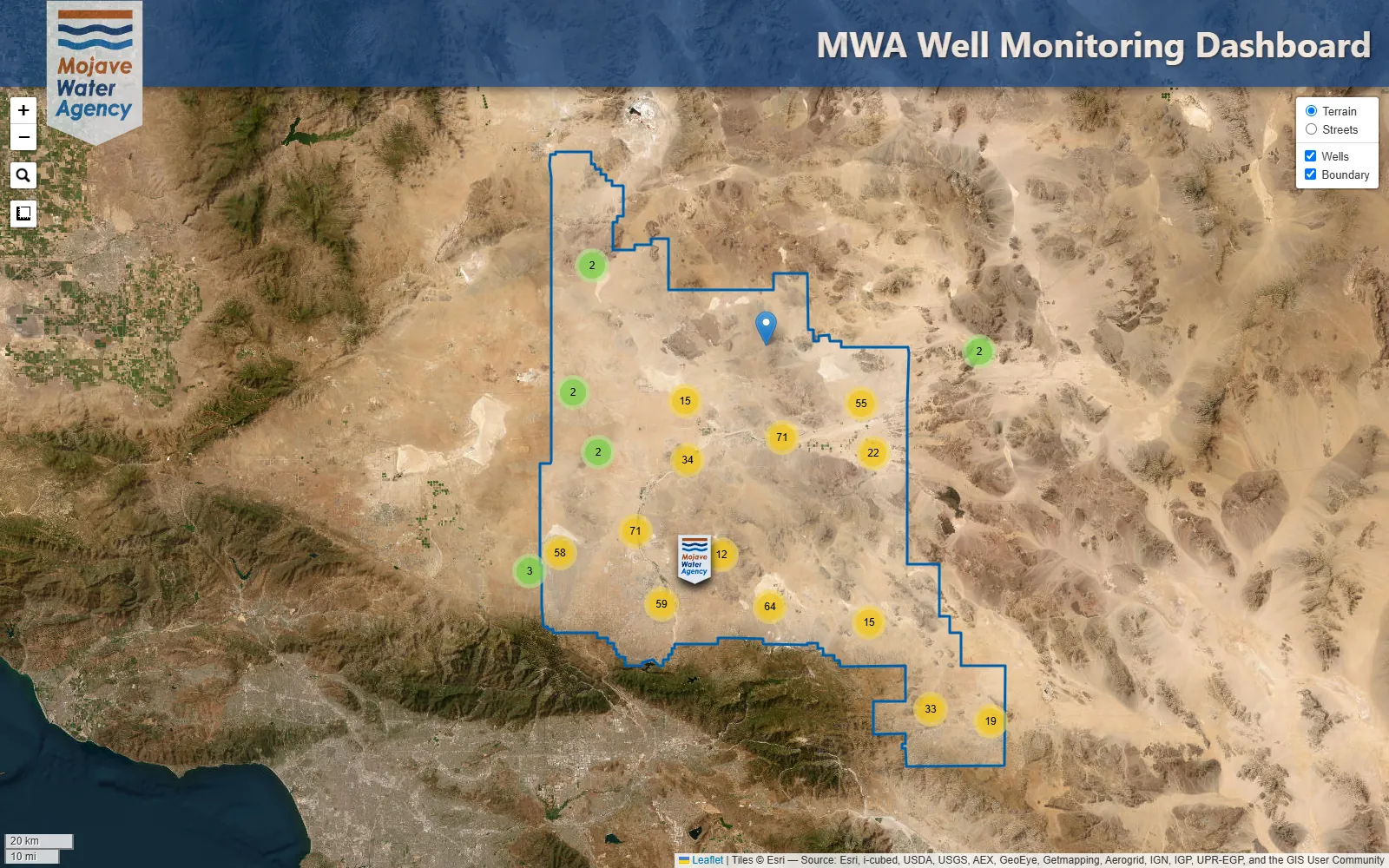
The agency monitors groundwater across a service area of nearly 4,900 square miles. The team wanted a quick way to view water-level data for the majority of the wells in that area, all from one place.
What I built
One map with every monitoring well on it, clustered by area so it stays readable at any zoom. Click a well and its full record is pulled from USGS and drawn as a hydrograph, in some cases going back more than a century.
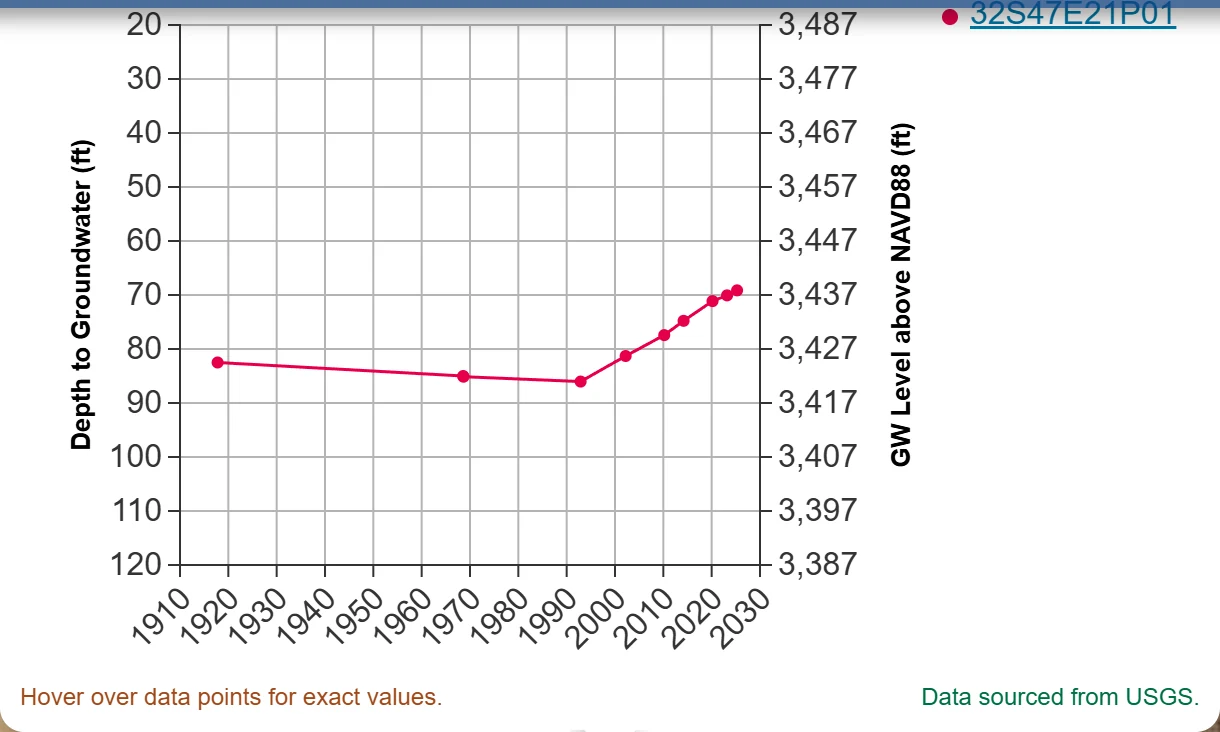
- Depth to groundwater and water-level elevation on the same chart
- A consistent 100-foot scale, so wells can be compared at a glance, with artesian wells handled correctly
- Wells that share a location plotted together on one chart
- Search by state well number, USGS site name or number, or common name
- Distance and area measuring, plus terrain and street basemaps
- A link from every chart to the full USGS record
How the data works
The well list was prepared in Python from the agency's own records and cross-referenced with USGS site information. The water-level readings aren't stored in the map at all. They're requested from USGS when someone clicks a well, so the charts stay current without anyone updating a file.
Built to be light
The whole dashboard is a single 626 KB file: every well location, the service boundary, and the code. There's no database or server behind it, so it can be hosted anywhere that serves a web page.
Tools: Python for data prep, Leaflet for the map, D3 for the charts.
Where it ended up
The dashboard was used internally at the agency rather than released to the public. Because it reads straight from USGS, the same approach works anywhere USGS monitors wells, and it can be adapted to an organization's own monitoring data.